
Live score and match-clock graphics for your stream
PlayOverlay is a free desktop app for adding a broadcast-style score bug, match clock, and penalty tracker to a sports stream, built for community football on YouTube, and usable for any stream where you key graphics over a live feed.
Everything you need to run a match
One control window for the operator, one clean output for the graphics, and enough flexibility to fit however you’re already streaming.
Score bug
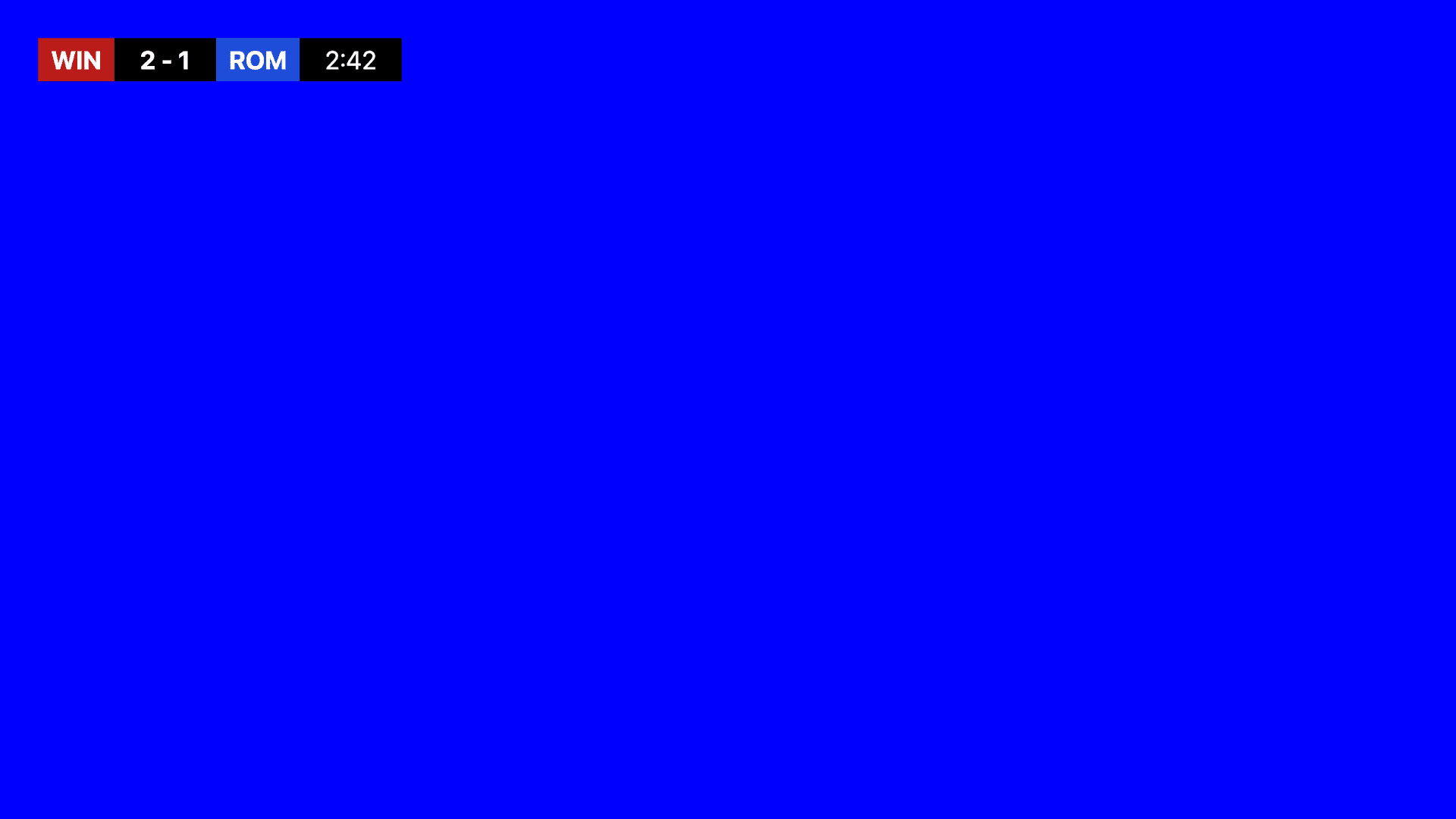
Team abbreviations, optional logos, live scores, match clock, and stoppage time, styled like a broadcast graphic.
Match clock
Driven by the system clock, so it never drifts over a half. Pause, resume, and adjust the time in a couple of clicks.
Goal log
Every goal logged, with its minute (including stoppage time) whenever the clock is running, and an automatic on-air goal banner. Add scorers at half-time and the end screen lists who scored.
Club presets
Save each club's name, colours, and logo once, then load any club into the home or away slot. New match resets everything else between fixtures.
Penalty shootout tracker
Alternates teams automatically, records scored and missed attempts, supports undo, and can be switched off for matches that don't need it.
Screens for every moment
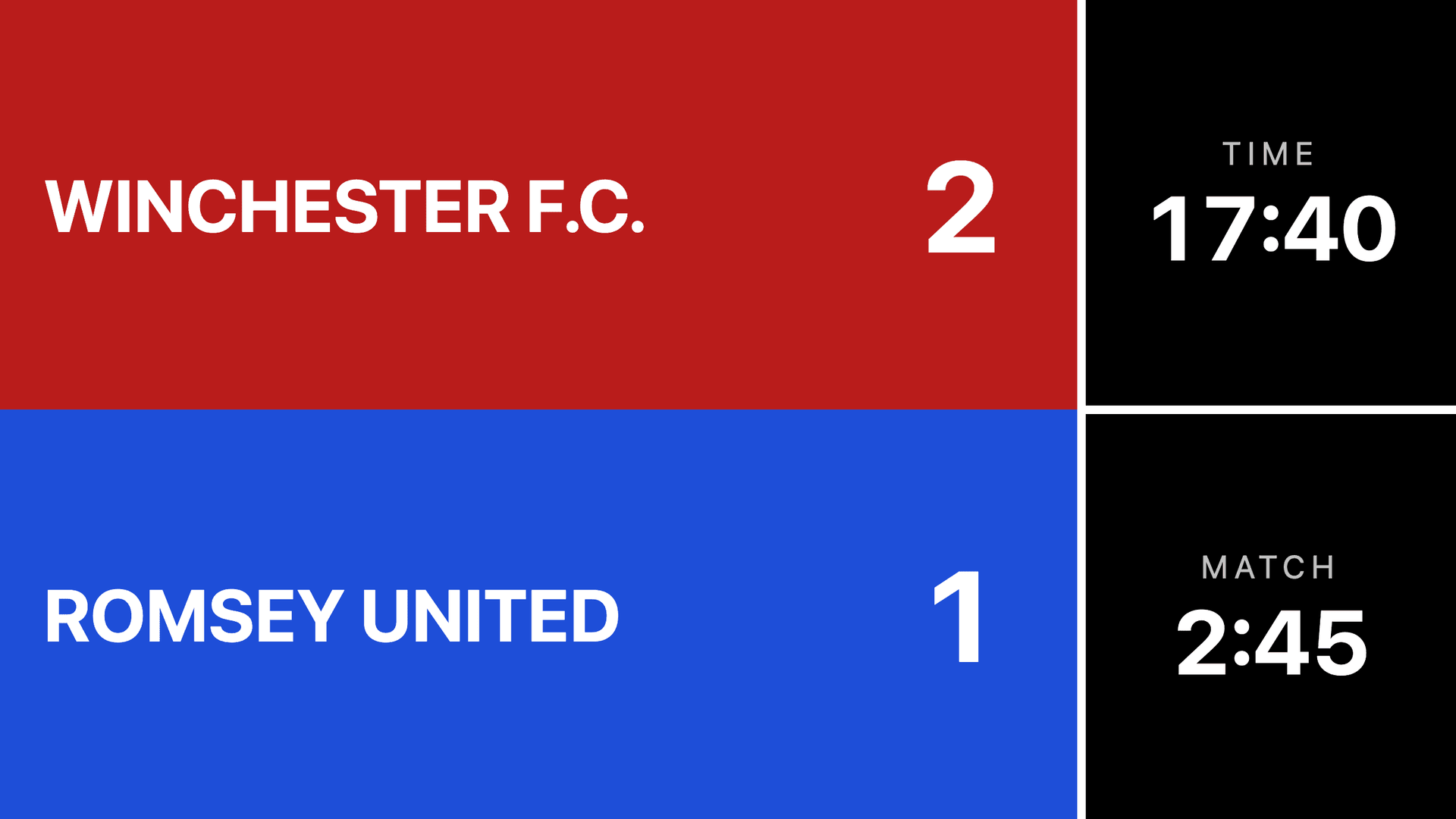
Match title, score bug, penalties, and end screen, plus a spectator scoreboard for a venue big screen, no chroma key required.
OBS browser source
Skip the second display and chroma key entirely: serve the graphics straight into OBS with a transparent background.
Phone remote (LAN)
A PIN-gated control page for a phone on the same wifi, so you can run goals, the clock, and the on-air screen from the touchline.
Stream Deck and shortcuts
Elgato Stream Deck support plus rebindable keyboard shortcuts for goals, phase changes, and screen switching.
8 languages
English, French, German, Italian, Spanish (Spain and Latin America), and Portuguese (Portugal and Brazil).
Crash recovery
Score, clock, and match state are saved continuously, so a crash mid-match doesn't mean starting over.
See it in action
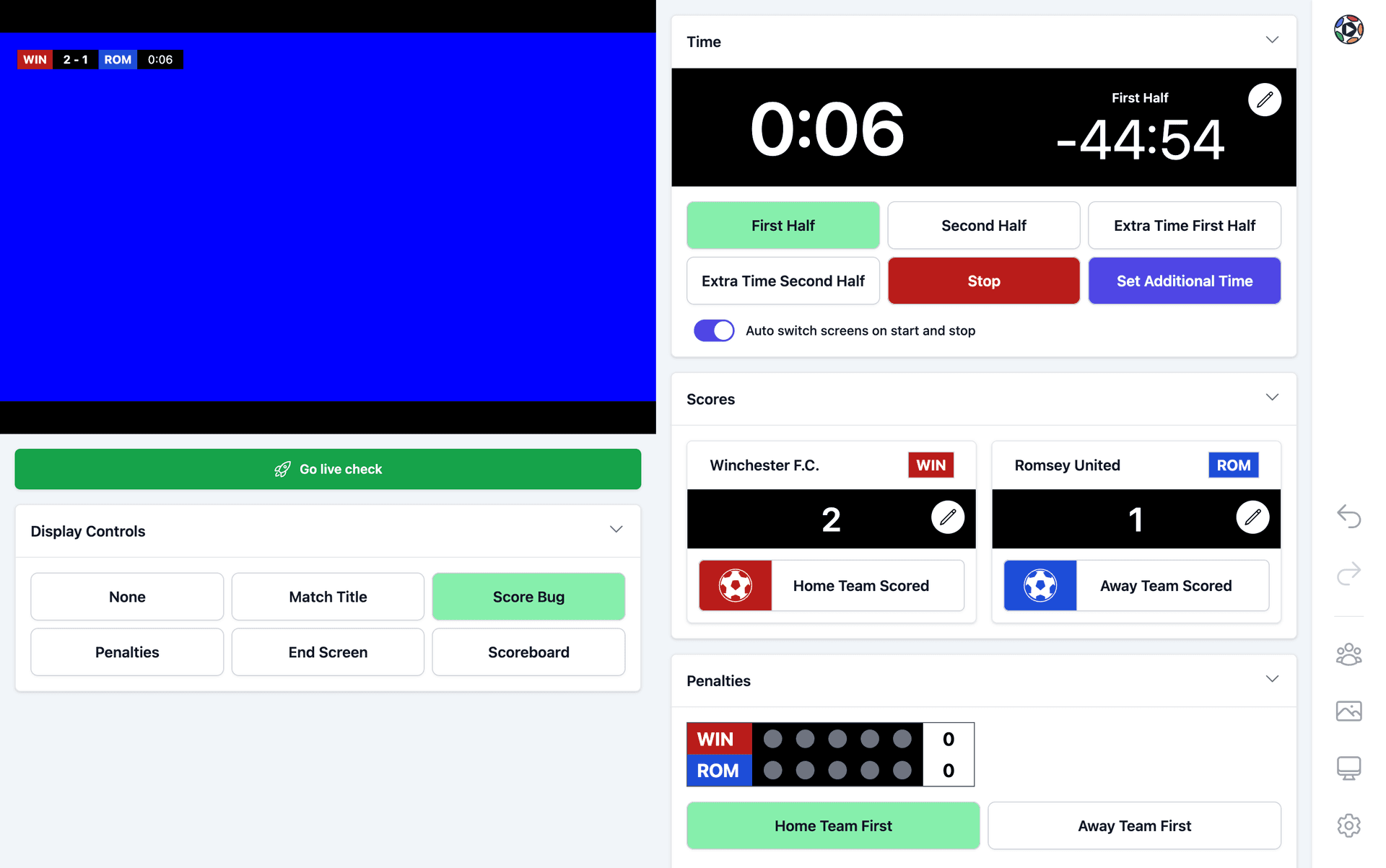
The operator dashboard on one screen, the clean graphics output on another.
How it works
PlayOverlay runs two windows. The control window is where the operator updates scores, runs the match clock, tracks penalties, and switches screens. The display window is a clean, fullscreen output showing the graphics on your chosen key colour.
Put the display window on a second monitor connected to a vision mixer (for example a Blackmagic ATEM Mini), key out the background colour, and composite it over your camera feed. If you’re streaming through OBS instead of a hardware mixer, skip the second display and chroma key entirely: PlayOverlay can serve the graphics directly into an OBS Browser Source with a transparent background.
- 1
Set up your match
Team names, colours, logos, venue, kick-off time, and half lengths in Match Settings.
- 2
Choose your output
Pick a key colour for a chroma key setup, or switch on the OBS browser source.
- 3
Move the display
Send the display window to your output monitor and make it fullscreen.
- 4
Kick off
Start the clock, add goals as they happen, and advance phases as the match runs.